Skip to content

Pieceberry Jigsaw

Report a problem with this game

Pieceberry Jigsaw

Published:
October 4, 2026

Share this game

Facebook WhatsApp

Controls

Use the mouse
Tap the screen
Use the keyboard
Space to jump or act

About the game

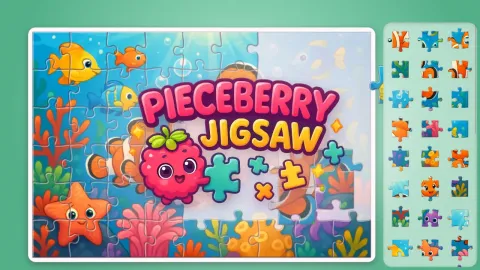
Pieceberry Jigsaw is a cosy jigsaw puzzle game full of bright, hand-painted pictures: 36 illustrations in six themed packs, from a happy farm and a coral reef to a candy castle, a fairy village, a moon picnic and a valley of friendly dinosaurs. Every puzzle is cut into real jigsaw shapes with round tabs, and you choose the size: 12, 24, 35, 54, 96 or 150 pieces.

Drag pieces from the tray onto the board and they click into place, or build parts on the table first: matching pieces stick together. Turn on rotating pieces for an extra challenge, race the clock for bonus berries, sort out the edge pieces, peek at the picture or ask Pip the raspberry for a hint. Your puzzles are saved, bigger puzzles earn more stars to open new packs, berries buy new puzzle tables, and a new daily puzzle waits every day.

How to play

  • Pick a pack, a picture and the number of pieces.
  • Drag pieces from the tray onto the board. Near the right spot they snap into place.
  • Pieces that fit together join anywhere on the table, so you can build parts first.
  • With rotating pieces on, tap a piece (or press Space / right-click) to turn it.
  • Zoom with two fingers, the mouse wheel or the + and − buttons; drag the empty table to move around.
  • Use the tools: edge pieces only, picture hint on the board, look at the picture and hints.
  • Bigger puzzles give more stars; stars open new packs and sizes, berries buy new tables.

Tips and tricks

  • Start every puzzle with the frame: the Edge pieces button shows only the border pieces in the tray, and a finished edge makes the middle much easier.
  • You do not have to place pieces straight onto the board. Build small groups on the table first; pieces that belong together stick to each other, and the whole group clicks in when it is near its spot.
  • Set the Picture hint on the board to Light or Strong in the pause menu when you are learning; switch it off later for a real challenge.
  • Each puzzle gives you 3 hints, and each hint places one piece for you. Save them for the end, when only plain sky or water pieces are left.
  • With Turning pieces on, rotate a piece before you drop it: tap it, right-click it or press Space. A piece only clicks into place when it points the right way.
  • Beat the clock gives you 40 seconds plus 5 seconds per piece (7 with turning pieces). If time runs out you can keep going without the clock, so nothing is lost.
  • To unlock packs quickly, finish pictures at a bigger size: 12 and 24 pieces give 1 star, 35 and 54 give 2, and 96 and 150 give 3.

Features

  • 36 hand-painted pictures in 6 packs: Happy Farm, Under the Sea, Sweet Land, Fairy Tales, Space Trip and Dino Valley
  • 6 puzzle sizes: 12, 24, 35, 54, 96 and 150 pieces with real jigsaw shapes
  • Optional Turning pieces and Beat the clock modes for bonus berries
  • A Daily puzzle with 35 pieces, 40 bonus berries and a daily streak
  • Tools: edge pieces only, picture hint on the board, look at the picture, 3 hints per puzzle, zoom
  • 6 puzzle tables to collect with berries
  • Stats with puzzles finished, pieces placed, stars and best times
  • Every unfinished puzzle is saved automatically

Frequently asked questions

Is Pieceberry Jigsaw free?

Yes. It is a free online jigsaw puzzle game that runs in your browser, with no download and no account.

Can I play it on a phone or tablet?

Yes. It works on computers, Chromebooks, tablets and phones, in portrait or landscape. On touch screens you drag pieces with your finger and zoom with two fingers.

Is my puzzle saved if I close the game?

Yes. Each unfinished picture is saved in your browser on that device, together with your stars, berries and tables, so you can continue later with the Continue button.

How do I unlock the other packs and bigger sizes?

Collect stars. Happy Farm is open from the start, and the next packs open at 4, 10, 18, 27 and 37 stars. The 35, 54, 96 and 150 piece sizes open at 3, 7, 14 and 24 stars.

How do I get 3 stars on a picture?

Finish it with 96 or 150 pieces. A picture keeps its best result, so you can do it small first and come back for 3 stars later.

Is it suitable for children?

Yes. The pictures are friendly and colourful, the 12 piece puzzles are easy for small children, and there is no timer unless you turn it on.

Guides for this game

  • What makes a good game for kids? How we design ours

    No lives to lose, no timers that punish, no strangers to talk to. Here is what we look for in a children's game, how we build it into ours, and which of our games suit which ages.

    4 min readRead the guide

Comments

Log in to comment

No comments yet. Be the first!