


Hunchbun
- Plays:
- 1
- Published:
- October 5, 2026
Share this game
Controls
- Use the mouse
- Tap the screen
- Use the keyboard
- Enter to confirm
About the game
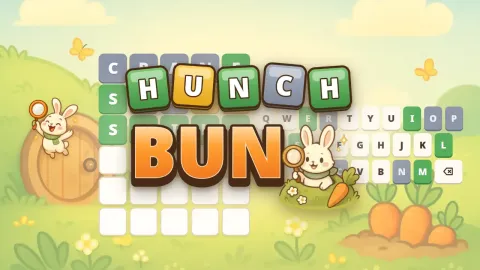
Hunchbun is a cozy word guessing game with Bun, a curious little bunny detective. Guess the secret five-letter word in six tries: after every guess the tiles turn green when a letter is in the right spot, gold when it is in the word but somewhere else, and grey when it is not in the word at all. Follow the clues, think like a detective and find the word!
Every day there is a new Daily Hunch, the same puzzle for everyone who plays in your language, with a streak counter, statistics and a spoiler-free share button. Want more? The Carrot Trail has endless practice levels with stars, carrots, hints and tricky levels with only five tries. Spend your carrots on six cheerful themes, collect 12 badges, and play with real word lists in English, Romanian, Spanish, Italian, French, German, Portuguese and Turkish.
How to play
- Type a real five-letter word with the on-screen keyboard or your own keyboard and press Enter.
- Green: the letter is in the word and in the right spot. Gold: it is in the word, but in another spot. Grey: it is not in the word.
- Find the word in six tries. The Daily Hunch changes every day at midnight.
- On the Carrot Trail, win stars and carrots; every 10th level is tricky and has only five tries.
- Stuck on the trail? A hint shows one letter in its place for 15 carrots.
- Hard mode and a colour-blind mode (orange and blue) are in Settings.
Tips and tricks
- Start with a word that uses common letters and different vowels, so your first guess tells you as much as possible.
- Never reuse a grey letter: it is not in the word, and the grey keys on the keyboard remind you.
- A gold letter is in the word but in another spot, so try it in a new position in your next guess.
- Remember that letters can repeat. If you have few clues left, think of words with a double letter.
- Keep your Daily Hunch streak alive by playing every day: a longer streak gives more carrots, up to 14 extra.
- On the Carrot Trail, solving a word in three tries or fewer earns three stars, but a hint limits the level to two stars.
- Save carrots before tricky levels: every 10th level has only five tries, and a hint can make the difference.
Features
- A new Daily Hunch every day, the same for everyone who plays in that language
- Streak counter, win percentage and guess distribution saved in your browser
- Spoiler-free share button that copies a coloured square grid and a link
- Endless Carrot Trail practice levels with stars, rising difficulty and tricky five-try levels
- Hints, carrots to collect and six themes to unlock, from Sunny Meadow to Moonlit Burrow
- 12 badges to earn, each worth 25 carrots
- Hard mode and a colour-blind mode with orange and blue tiles
- Real word lists and keyboards for 8 languages, with accents filled in automatically where they are not separate letters
Frequently asked questions
Is Hunchbun free?
Yes. Hunchbun is free to play in your browser on phones, tablets and computers, with no download and no account.
When does the Daily Hunch change?
A new puzzle starts every day at midnight, using the date on your device. Everyone who plays in the same language gets the same word that day.
Can I play more than one puzzle a day?
Yes. After the Daily Hunch, the Carrot Trail gives you as many practice levels as you like, with stars and carrots to win.
What does hard mode do?
In hard mode every green letter must stay in its place and every letter you have found must be used again in your next guesses. It can only be switched on or off before your first guess.
Do I need to type accents?
No. In Spanish, Italian, French and Portuguese the accents are filled in for you (Ñ is its own key in Spanish). Romanian, German and Turkish letters such as Ș, Ä or Ğ have their own keys.
Is my progress saved?
Yes. Your streaks, statistics, trail levels, carrots, themes and badges are saved in the browser on the device you play on.
Comments
No comments yet. Be the first!