Blobby Blasters
- Published:
- October 3, 2026
Share this game
Controls
- Use the mouse
- Tap the screen
- Use the keyboard
- Arrow keys to move
- W A S D to move
- Space to jump or act
About the game
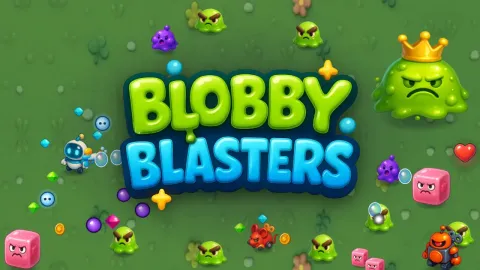
Blobby Blasters is a cartoon arena shooter for kids and teens. Pick a brave little hero – a bubble-blasting robot, a speedy space hamster, a cat astronaut or a sturdy turtle bot – and blast wave after wave of grumpy goo blobs and naughty wind-up toys. Purple blobs spit slow goo balls, wind-up mice wiggle before they dash, pink jellies split in two and tin robots soak up shots.
Collect glowing gems to level up and pick 1 of 3 upgrades: rapid fire, multi-shot, piercing and bouncing shots, buddy drones, bubble shields, explosive shots, freeze rays and more. Every 5 waves a funny boss appears with attacks you can see coming. Keep your coins between runs to unlock new heroes and permanent upgrades, beat the wave 10 boss to open four colourful arenas, and chase your best wave and score.
How to play
- Move with WASD or the arrow keys. On phones and tablets, drag your finger to move.
- Aim with the mouse and hold the button to shoot, or press E for auto-aim. On touch screens the blaster aims and shoots by itself (two-stick controls are in the settings).
- Collect gems to level up and choose an upgrade. Hearts heal, magnets pull in gems, bubble bombs clear the screen.
- When the ground turns red or a line appears, a boss attack is coming: move away!
- Spend coins on heroes and permanent upgrades; beat the wave 10 boss to unlock the next arena.
Tips and tricks
- Keep moving in wide circles around the arena instead of standing still: the blobs follow you in a bunch, which makes them easy to blast from the side.
- Gems are your experience. Sweep through them between fights, and take Gem Magnet early if you keep missing them.
- Build around one strength. Multi-Shot with Piercing and Ricochet clears crowds, while Power Up, Mega Shots and Lucky Shot melt bosses and tin robots.
- A Bubble Shield or a Buddy Drone makes the early waves much safer, especially with fragile heroes like Pip.
- Every 5th wave is a boss wave. When the ground turns red or a line appears, step out of it right away, then go back to shooting.
- Pink jellies split in two when you pop them, so hit them from a distance and be ready for the smaller pieces.
- Spend coins between runs. Tough Shell and Blaster Training help every hero, and Second Chance brings you back once per run with 60% health.
Features
- Endless waves of goo blobs, wind-up mice, splitting jellies and tin robots
- A boss every 5 waves: King Gloop, Mecha Teddy and Captain Squishy
- Four heroes: Bolt, Pip, Nova and Boomer, each with a different blaster
- 17 level-up upgrades to combine in every run, from Rapid Fire to Freeze Ray
- 7 permanent upgrades bought with coins between runs
- Four arenas: Goo Meadow, Toy Factory, Candy Moon and Jelly Volcano
- Mouse aim, Auto-aim (E), keyboard WASD or arrows, and two touch control modes
- Best wave and best score saved for each arena
Frequently asked questions
Is Blobby Blasters free?
Yes. Blobby Blasters is a free online shooting game for kids and teens that runs in your browser, with no download or account.
Does it work on a phone or tablet?
Yes, in landscape. Drag your finger to move and your blaster aims and shoots by itself, or choose Two sticks in the settings to aim yourself.
How do I unlock new arenas?
Beat the boss of wave 10 in an arena to unlock the next one. Later arenas have tougher enemies, but they also pay more coins.
How do I get new heroes?
Collect coins during your runs and buy heroes in Heroes & upgrades: Pip costs 450, Nova 1,100 and Boomer 2,000 coins. Bolt is available from the start.
Does the game ever end?
No, the waves keep coming and get harder. The goal is to beat your best wave and score in each arena.
Is my progress saved?
Yes. Coins, heroes, permanent upgrades, unlocked arenas and records are saved in your browser on that device. Upgrades picked during a run last only for that run.
Comments
No comments yet. Be the first!