


Dabbleberry – Coloring Book
- Plays:
- 0
- Published:
- October 4, 2026
Share this game
Controls
- Use the mouse
- Tap the screen
- Use the keyboard
About the game
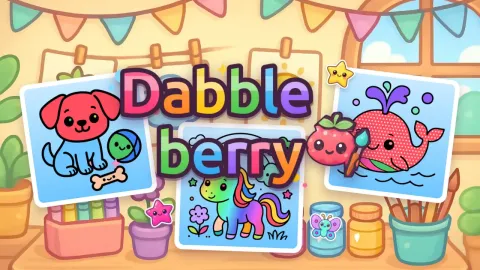
Dabbleberry is a cheerful coloring book for kids with 30 cute pictures in six books: Pet Pals, Fairy Garden, Under the Sea, Sweet Shop, Dino Valley and Space Trip. Pick a color and tap any part of the picture to fill it with a happy splash, or grab a crayon, a marker or a glitter pen and paint freely – the brush never goes outside the lines, so every picture looks great.
Each picture comes with a little wish from Dabby, the friendly raspberry painter: use lots of colors, add stickers, color the background or try a magic fill. Earn up to three stars per picture to open new books, rainbow, polka-dot, heart and glitter fills, new brushes and 16 stickers. Finished pictures go to your own gallery, where you can save them, and pages you have started wait for you next time. There is no timer and no way to lose.
How to play
- Choose a book and a picture.
- Fill: pick a color, then tap a part of the picture. Magic fills add rainbows, stripes, dots, hearts and glitter.
- Brush: paint with a crayon, a marker or a glitter pen; it stays inside the part where you start. The eraser cleans it up.
- Stickers: tap to stick, drag to move, drag off the paper to remove. Pinch, use the mouse wheel or the + / − buttons to zoom.
- Use Undo for mistakes and Hint to find a part you missed.
- Press Done to earn stars: finish the picture, color almost everything and make Dabby’s wish come true.
Tips and tricks
- Use Fill for big areas and the brush for small details. The brush stays inside the part where you start, so you can paint fast without going over the lines.
- Try magic fills on large parts like the sky or the background: Rainbow and Fade look great on big spaces, while Polka dots, Stripes and Hearts are fun on clothes, cakes and balloons.
- For the second star, color almost every part of the picture. If you can't find a white spot, press Hint and Dabby will point to a part you missed.
- Zoom in with a pinch, the mouse wheel or the + and − buttons to fill tiny parts like eyes, buttons and little stars.
- Changed your mind? Undo takes back your last step, the eraser cleans up brush strokes, and filling a part with another color simply replaces the old one.
- Collect stars to open more books: Under the Sea at 5 stars, Fairy Garden at 12, Sweet Shop at 20, Dino Valley at 30 and Space Trip at 40. New magic fills, the glitter pen and more stickers open along the way.
Features
- 30 pictures in 6 coloring books: Pet Pals, Fairy Garden, Under the Sea, Sweet Shop, Dino Valley and Space Trip
- 24 colors and 6 magic fills: Rainbow, Fade, Polka dots, Stripes, Hearts and Glitter
- 3 brushes (Crayon, Marker and Glitter pen) in 3 sizes, plus an eraser
- 16 stickers to stick, move and remove
- Up to 3 stars per picture, with a little wish from Dabby on every page
- My gallery keeps your finished pictures, and you can save them as image files
- No timer and no way to lose
- Mouse, touch and keyboard shortcuts, in portrait or landscape
Frequently asked questions
Is Dabbleberry free?
Yes. It is a free online coloring game for kids that runs in the browser on computer, tablet and phone, with no download and no account.
Is it good for young children?
Yes. There is no timer and nothing to lose, the fill tool and the brush never go outside the lines, and Dabby's tips show new players what to do on their first picture.
How do I get 3 stars?
Press Done when you like your picture. The first star is for finishing it, the second for coloring almost everything, and the third for making Dabby's wish come true.
How do I save my picture?
Press Done and the picture goes to My gallery. From there you can press Save picture to download it as an image you can print or share.
Do I lose my drawing if I close the game?
No. Pictures you have started wait for you next time, and your stars, unlocks and gallery are saved in your browser on that device.
Comments
No comments yet. Be the first!